


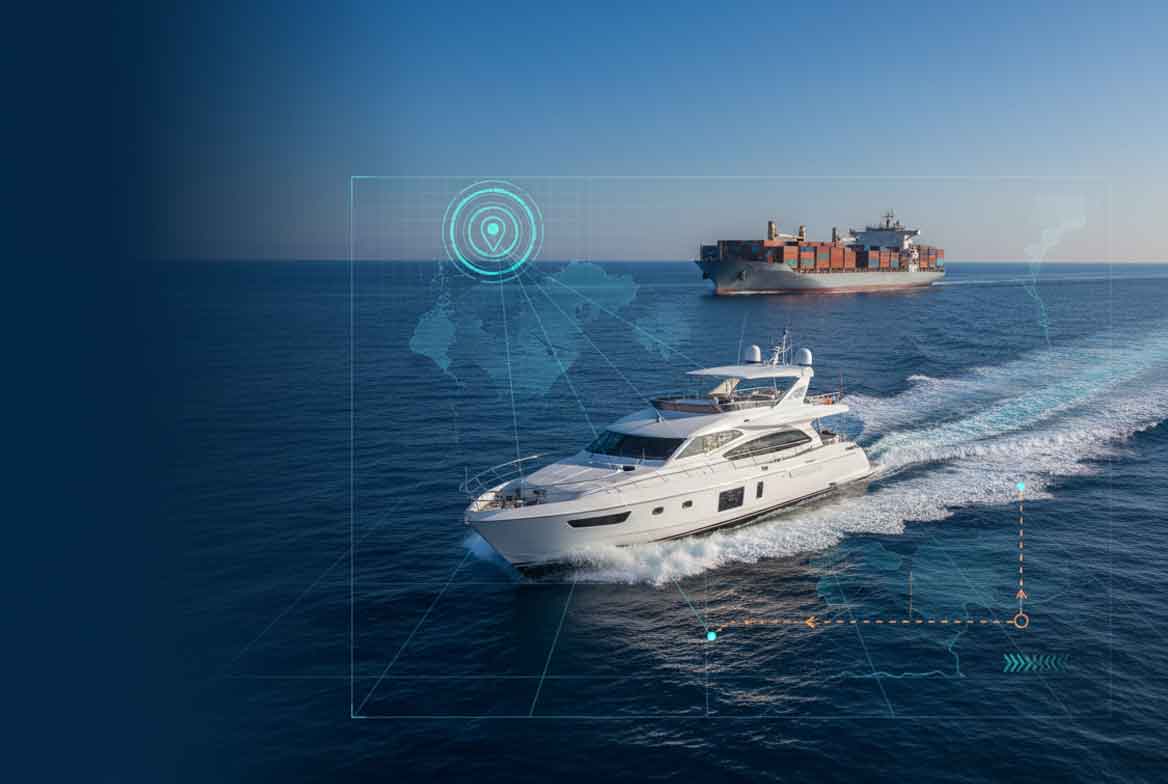
Introduction (How to Track a Ship or Yacht)
Ships and yachts move across oceans every day. Many people want to know where a specific vessel is right now. With free marine OSINT tools, you can track any ship or yacht in real time from your computer or phone. No expensive equipment is required.
This guide explains how to track a ship or yacht in real time using popular platforms like MarineTraffic and VesselFinder. You will also learn how to find the owner through IMO lookup and how to follow the marine protocol for accurate results. The methods work globally, including in the USA, UK, Canada, and Australia.
Whether you are new to marine tracking or already familiar with ship trackers, this guide provides clear steps and practical advice. Let us begin.
Also read: How to Trace an Email to Its Source IP
MarineTraffic (The Google Maps of Ships) (How to Track a Ship or Yacht)
MarineTraffic is the leading platform for real time ship tracking. It works like Google Maps but for vessels. Millions of users rely on it to see where ships are located at any moment.
How MarineTraffic Works
MarineTraffic collects data from the Automatic Identification System (AIS) used by ships. AIS transmitters on vessels send signals with location, speed, and identity. Receivers on land and satellites pick up these signals and send the data to MarineTraffic.
How to Use MarineTraffic for Real Time Tracking (How to Track a Ship or Yacht)
- Go to marinetraffic.com.
- Enter the ship name, MMSI number, or IMO number in the search bar.
- Press Enter to see the vessel on the map.
- Zoom in to view current position, speed, heading, and route history.
The map shows thousands of ships at once. You can filter by vessel type, size, or status. Free accounts allow basic tracking. Paid plans unlock more features like historical data.
Strengths of MarineTraffic
- Covers most commercial ships worldwide.
- Shows detailed ship information including photos.
- Provides port arrivals and departures.
- Works on mobile devices for on the go tracking.
MarineTraffic is the best starting point for anyone learning how to track a ship or yacht in real time.
Also read: How to Find Invisible Devices
VesselFinder (The Free Satellite Alternative) (How to Track a Ship or Yacht)
VesselFinder offers a strong free option with satellite coverage. It is ideal when you need to follow vessels beyond coastal areas.
How VesselFinder Differs from MarineTraffic
VesselFinder uses both terrestrial and satellite AIS data. This means it can track ships even in open ocean where land based receivers cannot reach. The free version provides solid coverage without requiring payment.
How to Use VesselFinder (How to Track a Ship or Yacht)
- Visit vesselfinder.com.
- Search by ship name, IMO, MMSI, or location.
- View the vessel on the interactive map.
- Check details such as last position update, course, and destination.
VesselFinder also shows weather overlays and port information. It is especially useful for tracking yachts that travel long distances.
Best Uses for VesselFinder
- Following private yachts on transatlantic routes.
- Monitoring cargo ships in remote waters.
- Checking vessel history without a subscription.
Both MarineTraffic and VesselFinder give you my ship tracking maps that update in real time.
Finding the Owner (IMO Lookup) (How to Track a Ship or Yacht)
Once you locate a vessel, the next step is identifying the owner. Every commercial ship has a unique IMO number issued by the International Maritime Organization.
How to Perform an IMO Lookup
- Find the IMO number on MarineTraffic or VesselFinder.
- Go to equasis.org or other public maritime registries.
- Enter the IMO number in the search field.
- Review ownership details, flag state, and company information.
Many yachts also have IMO numbers. This lookup reveals the registered owner and management company.
Additional Owner Research (How to Track a Ship or Yacht)
- Search the vessel name on company websites.
- Check maritime databases like Lloyds Register.
- Look for news articles about the yacht or ship.
This step turns raw location data into useful intelligence about who controls the vessel.
The Marine Protocol (How to Track a Ship or Yacht)
The Marine Protocol is a step by step method for consistent real time tracking.
Step 1: Gather Initial Information
Collect the ship name, MMSI, IMO, or approximate location. These details make searches faster.
Step 2: Use Primary Tracking Sites (How to Track a Ship or Yacht)
Start with MarineTraffic for coastal areas and VesselFinder for international waters. Both platforms function as free ship trackers.
Step 3: Verify Current Position
Cross check the position on two different sites. This reduces errors from delayed signals.
Step 4: Identify Owner Through IMO Lookup (How to Track a Ship or Yacht)
Use the IMO number to find ownership records. This adds context to the vessel location.
Step 5: Monitor Changes
Set up free alerts on MarineTraffic or VesselFinder when the vessel arrives at a new port or changes course.
Step 6: Document Your Findings
Record positions, times, and ownership details in a simple spreadsheet. This helps track patterns over time.
Following the marine protocol ensures reliable results every time.
Common Mistakes When Tracking Ships and Yachts (How to Track a Ship or Yacht)
- Relying on only one platform. Signals can be delayed or missing.
- Ignoring time zones when viewing position updates.
- Assuming every yacht appears on tracking sites. Some private vessels disable AIS.
- Forgetting that small boats often lack AIS transmitters.
- Misreading IMO numbers from similar looking vessels.
Pro Tips for Marine OSINT (How to Track a Ship or Yacht)
- Combine MarineTraffic with VesselFinder for complete coverage.
- Use my ship tracking api where available for automated alerts.
- Search by MMSI number when the vessel name is common.
- Check port schedules to predict arrivals.
- Save favorite vessels in each platform for quick access.
- Use ship tracking maps on mobile apps when traveling.
Expert Insights on Vessel Tracking (How to Track a Ship or Yacht)
Real time marine tracking relies on AIS technology that became mandatory for many vessels years ago. Coverage improves every year as more satellites join the network. The key insight is that most large ships and many yachts transmit their positions openly. This makes free ship tracker tools effective for anyone who knows how to use them.
Advanced users combine marine data with other OSINT methods for deeper investigations. The 2026 environment includes better satellite coverage and more accessible APIs like my ship tracking api options.
Real World Applications (How to Track a Ship or Yacht)
Ship and yacht tracking serves many purposes:
- Monitoring commercial fleets for logistics.
- Following private yachts for personal interest.
- Supporting maritime security research.
- Assisting in search and rescue planning.
- Conducting competitive intelligence in shipping.
Knowing how to track a ship or yacht in real time gives you a practical advantage in many situations.
Actionable Takeaways on How to Track a Ship or Yacht
- Create accounts on MarineTraffic and VesselFinder today.
- Practice IMO lookup on a few well known vessels.
- Build your own marine protocol checklist.
- Explore free features on ship tracking maps before upgrading.
- Combine tracking with other OSINT tools when needed.
Conclusion of How to Track a Ship or Yacht
Tracking a ship or yacht in real time is now accessible to everyone with free tools. MarineTraffic acts as the Google Maps of ships while VesselFinder provides strong satellite alternatives. Adding IMO lookup and following the marine protocol turns basic location data into valuable insights about owners and movements.
These techniques work anywhere in the world, including the USA, UK, Canada, and Australia. Start with simple searches and gradually build your marine OSINT skills.
For those looking to take their OSINT work to the next level, having access to reliable tools and resources makes all the difference. Visit cvvdump.com or Worlddumps.com to get legit dumps with pin and carding materials that complement your marine tracking toolkit.
Also read: How to Track a Crypto Wallet
Frequently Asked Questions (FAQ) on How to Track a Ship or Yacht
How to track a ship or yacht in real time for free?
Use MarineTraffic and VesselFinder. Both sites display live positions using AIS data without requiring payment for basic tracking.
What is the difference between MarineTraffic and VesselFinder?
MarineTraffic offers more detailed coastal coverage and photos. VesselFinder provides stronger satellite tracking for open ocean areas. Many users combine both for best results.
How do I find the owner of a ship or yacht?
Locate the vessel first, then perform an IMO lookup on public maritime registries. This reveals the registered owner and company details.
What is the Marine Protocol?
The Marine Protocol is a systematic method that starts with ship search, moves to owner identification, and ends with ongoing monitoring using free tools.
Can I track private yachts with these methods?
Many private yachts transmit AIS and appear on MarineTraffic or VesselFinder. Some owners turn off the system for privacy, so not every yacht is visible.
Is my ship tracking api available for free?
Some platforms offer limited free access to APIs. Full commercial use requires payment. Check the developer sections on MarineTraffic and VesselFinder for current options.
How accurate are ship tracking maps?
Positions update every few minutes when signal is available. Accuracy depends on AIS transmission quality and satellite coverage. Most commercial ships show reliable real time data.
What is my ship tracking?
My ship tracking refers to personal monitoring of specific vessels using apps or websites. You can create lists of favorite ships and receive alerts when they move.
Do I need special equipment to track vessels?
No. All you need is internet access and the websites mentioned. Free ship tracker platforms work on any browser or mobile device.
How do I monitor multiple vessels at once?
Add vessels to watchlists on MarineTraffic or VesselFinder. Ship tracking maps allow you to view groups of vessels on one screen and set arrival alerts.
