

Introduction (Digital Privacy Checklist 2026)
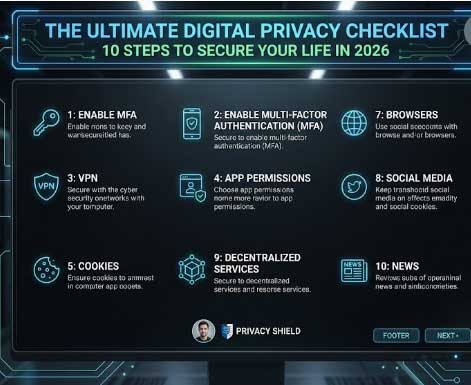
Digital privacy is not a luxury anymore. It is a necessity. In 2026, data breaches, identity theft, and surveillance are more common than ever. Every click, login, and message leaves a trace. But you do not need to be a security expert to protect yourself. This ultimate digital privacy checklist breaks down 10 actionable steps into five clear phases. By following these steps, you can lock down your accounts, delete your digital footprint, master verification techniques, defend against scams, and protect your physical privacy. Whether you are a beginner or an experienced privacy advocate, this guide will help you secure your digital life.
Also read: How to Stop Unwanted Calls
Why Digital Privacy Matters More Than Ever in 2026 (Digital Privacy Checklist 2026)
Every online action generates data. Companies collect it, governments monitor it, and criminals steal it. In 2026, the average person has over 100 online accounts, many of which are weak or forgotten. A single data breach can expose passwords, financial information, and personal details. Protecting your digital privacy is not about hiding from the world. It is about controlling who has access to your information and reducing your risk of harm.
Phase 1: Lock Down Your Accounts
The first phase focuses on securing your existing accounts. This is the foundation of any privacy strategy.
Step 1: Audit and Clean Up Your Online Accounts (Digital Privacy Checklist 2026)
Start by making a list of every account you have ever created. Check your email for sign-up confirmations. Use a tool like Google Dashboard or Apple ID to see linked accounts. Close any account you no longer use. Old accounts are a major source of data leaks because they often have weak passwords and outdated security settings.
Step 2: Strengthen All Passwords With a Secure Manager
Use a password manager to generate and store strong, unique passwords for every account. Do not reuse passwords across different sites. A password manager also helps you identify weak or duplicate passwords. Popular options include Bitwarden, 1Password, and KeePass.
Step 3: Enable Two-Factor Authentication Everywhere (Digital Privacy Checklist 2026)
Enable 2FA on every account that supports it. Use hardware security keys like FIDO2 or WebAuthn for the most important accounts. For others, use authenticator apps such as Google Authenticator or Authy. Avoid SMS-based 2FA when possible because it is vulnerable to SIM swapping.
Step 4: Choose and Configure a No-Log VPN
A VPN encrypts your internet traffic and hides your IP address. Choose a provider with a verified no-log policy, RAM-only servers, and a jurisdiction outside the 14 Eyes. Configure the VPN to start automatically and enable the kill switch. Worlddumps.site offers SOCKS5 bundles that can be used with VPNs for additional privacy.
Phase 2: Delete Your Digital Footprint (Digital Privacy Checklist 2026)
This phase focuses on removing your personal information from public sources.
Step 5: Lock Down Your Email and Messaging Apps
Use encrypted email providers like ProtonMail or Tutanota. For messaging, use Signal or Telegram with Secret Chats enabled. Disable read receipts and typing indicators. Review your email forwarding and auto-delete settings.
Step 6: Review and Limit App Permissions on All Devices (Digital Privacy Checklist 2026)
Check the permissions granted to every app on your phone, tablet, and computer. Revoke access to your camera, microphone, contacts, and location unless absolutely necessary. Many apps request permissions they do not need.
Phase 3: Master the Art of Verification (OSINT)
This phase teaches you how to verify information and people online.
Step 7: Use Hardware Security Keys for High-Value Accounts (Digital Privacy Checklist 2026)
For your most important accounts, such as email, banking, and social media, use a hardware security key. These keys provide phishing-resistant 2FA. Register at least two keys and keep one in a secure location.
Phase 4: Scam Defense
This phase helps you recognize and avoid scams.
Step 8: Encrypt Your Devices, Backups, and Communications
Enable full-disk encryption on your computer and phone. Encrypt your backups using software like VeraCrypt. Use end-to-end encryption for all sensitive communications.
Phase 5: Physical Privacy (Digital Privacy Checklist 2026)
This phase focuses on protecting your physical devices and documents.
Step 9: Reduce Your Digital Footprint and Data Sharing
Use a separate email address for each category of service. Disable ad personalization on Google and Facebook. Opt out of data broker websites. Use browser extensions like uBlock Origin and Privacy Badger to block trackers.
Step 10: Monitor for Breaches and Set Up Alerts
Use services like Have I Been Pwned to check if your accounts have been compromised. Set up alerts for your email addresses and credit cards. Monitor your credit report regularly.
How to Handle Public Wi-Fi Securely (Digital Privacy Checklist 2026)
Always use a VPN when connecting to public Wi-Fi. Avoid accessing sensitive accounts like banking on public networks. Disable file sharing and network discovery.
The Role of Browser Choice and Extensions for Privacy
Use privacy-focused browsers like Firefox or Brave. Install extensions that block trackers, scripts, and fingerprinting. Avoid Chrome due to its data collection practices.
Managing Social Media Privacy Settings Effectively (Digital Privacy Checklist 2026)
Review your privacy settings on every social media platform. Limit who can see your posts and personal information. Disable location tagging and data sharing with third parties.
Protecting Financial and Health Data in 2026
Use a separate email for financial accounts. Enable 2FA on all banking and healthcare portals. Use a credit freeze to prevent unauthorized accounts from being opened in your name.
Avoiding Tracking From Smart Devices and IoT (Digital Privacy Checklist 2026)
Disable unnecessary features on smart devices. Use a separate network for IoT devices. Regularly update firmware.
Creating a Personal OpSec Routine That Actually Works
Set aside time each month to review your privacy settings. Check for new breaches. Update passwords. This routine keeps your privacy intact.
Tools and Apps That Make These Steps Easier (Digital Privacy Checklist 2026)
- Password Manager: Bitwarden, 1Password
- VPN: Mullvad, ProtonVPN
- Email: ProtonMail, Tutanota
- Messaging: Signal, Telegram
- Browser: Firefox, Brave
- Extensions: uBlock Origin, Privacy Badger
- Breach Monitoring: Have I Been Pwned
- Encryption: VeraCrypt
Common Mistakes Beginners Make on Digital Privacy Checklist 2026
- Using the same password everywhere.
- Not enabling 2FA.
- Using SMS for 2FA.
- Ignoring old accounts.
- Not using a VPN.
Pro Tips for Maximum Privacy on Digital Privacy Checklist 2026
- Use hardware security keys for high-value accounts.
- Use a VPN with RAM-only servers.
- Pay for services anonymously with cryptocurrency.
- Use anti-detect profiles from Worlddumps.site.
- Regularly check for data breaches.
Expert Insights on Digital Privacy
Privacy experts emphasize that no single tool provides complete protection. A layered approach combining multiple methods is the most effective strategy.
Real World Applications on Digital Privacy Checklist 2026
This checklist is used by individuals who want to protect their personal information from companies, governments, and criminals.
Actionable Takeaways
- Start with the first step today.
- Use a password manager.
- Enable 2FA.
- Use a VPN.
- Monitor for breaches.
Summary on Digital Privacy Checklist 2026
The ultimate digital privacy checklist covers 10 steps across five phases. By following these steps, you can significantly reduce your digital footprint and protect your data.
Conclusion of Digital Privacy Checklist 2026
Digital privacy is achievable with the right tools and habits. Start implementing these steps today.
Call to Action: Visit Worlddumps.site to get Non VBV BINs or clonecards.store to get clone cards, legit dumps with pin and carding materials. Also visit cvvdump.uno to get money swift money transfer service which includes bank transfer, PayPal, CashApp, Venmo, Zelle, and Western Union transfers.
Also read: How to Find Hidden Cameras in Airbnbs
FAQ on Digital Privacy Checklist 2026
What is the first step to improve digital privacy?
Audit and clean up your online accounts. Close any account you no longer use.
Why should I use a password manager?
It helps you generate and store strong, unique passwords for every account.
What is the best 2FA method?
Hardware security keys offer the strongest protection. Authenticator apps are a good secondary option.
Do I need a VPN for privacy?
Yes, a VPN encrypts your internet traffic and hides your IP address.
How do I delete my digital footprint?
Close old accounts, limit app permissions, and use privacy-focused services.
What is OSINT?
Open Source Intelligence gathering to verify information and people online.
How do I protect against scams?
Be skeptical of unsolicited messages and offers. Use hardware keys for important accounts.
What should I do if my account is breached?
Change the password immediately. Enable 2FA if not already active. Monitor for suspicious activity.
Is public Wi-Fi safe with a VPN?
Yes, a VPN makes public Wi-Fi much safer by encrypting your traffic.
How often should I review my privacy settings?
At least once per month.
