

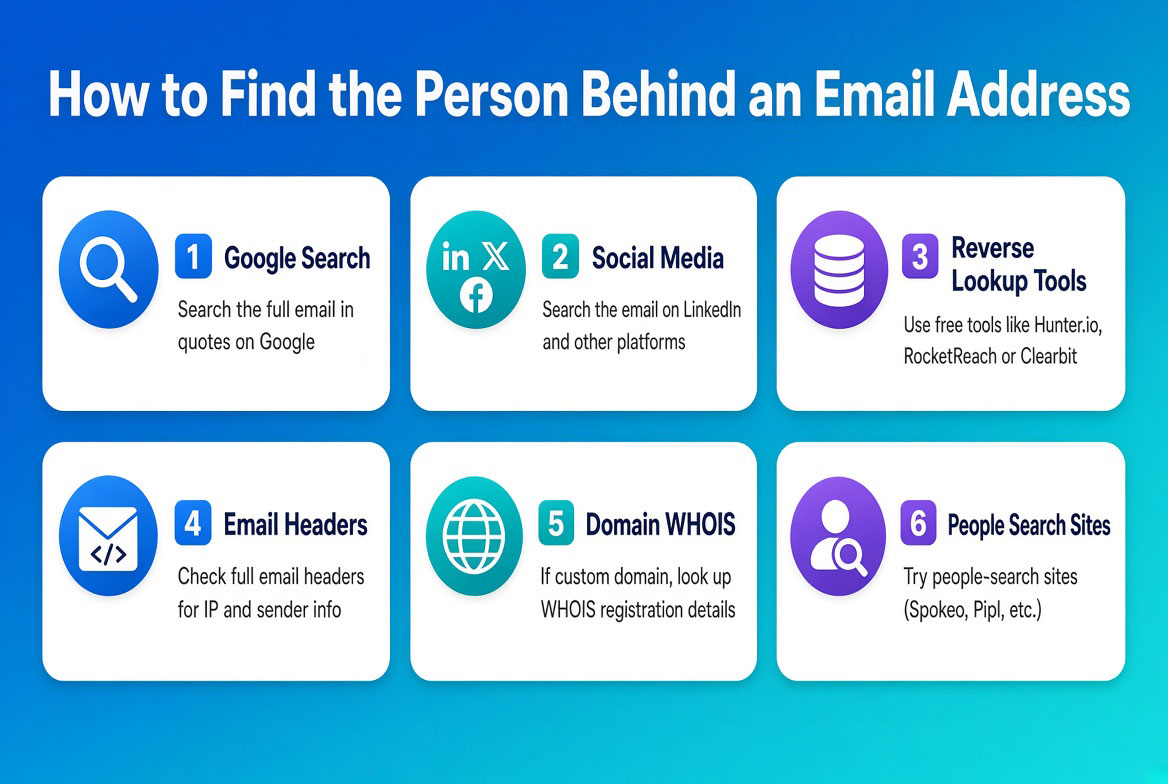
Introduction (Find the Person Behind an Email Address)
Finding the person behind an email address can unlock important information for verification, research, or investigation. Whether you are dealing with suspicious messages, confirming a contact, or exploring digital footprints, free OSINT tools make this process accessible without expensive subscriptions.
In this guide, we will cover three effective methods: Epieos for Google based scanning, the Google Calendar trick for manual discovery, and Have I Been Pwned for checking breach history. We will also highlight what not to do to stay safe and legal.
By the end, you will have practical steps to identify email owners while understanding the strengths and limits of each approach. These techniques work for users in the USA, Canada, Australia, the UK, and beyond.
Also read: How to Find a Location Using WiFi Networks
What Is Email OSINT and Why Use It (Find the Person Behind an Email Address)
Email OSINT refers to using open source intelligence techniques to discover details about an email address holder. This includes scanning public records, social platforms, and breach databases to reveal names, usernames, or associated accounts.
It matters because email addresses often serve as digital keys. People link them to social media, services, and online activity. Free tools allow beginners and experts alike to gather clues responsibly. Always focus on legitimate reasons such as verifying contacts or investigating spam.
Method 1: Epieos The Google Scanner (Find the Person Behind an Email Address)
Epieos is a free tool that scans Google services for an email address. It reveals linked accounts, usernames, and public profiles by checking whether the address appears in Google searches or services.
Step by Step Guide to Using Epieos
- Visit the Epieos website and enter the target email address.
- The tool runs automated checks across Google tools and public databases.
- Review results for usernames, possible names, or connected services.
- Note any public records or social links that appear.
- Cross check findings with other free searches.
Epieos works well for emails tied to active Google accounts. It requires no login and processes quickly for most addresses.
Method 2: The Google Calendar Trick Manual OSINT (Find the Person Behind an Email Address)
This manual technique uses Google Calendar sharing settings to reveal names. Many users leave calendar events public, which can expose the owner’s name or meeting details when you attempt to share.
Step by Step Guide to Using the Google Calendar Trick
- Go to Google Calendar and create a new calendar event.
- Add the target email address as an invitee.
- Set the calendar to public sharing before sending.
- Look for the name that appears next to the email in the invite preview.
- Cancel the event after noting the information.
This works because the system sometimes displays the real name associated with the email in sharing views. It is free and requires only a Google account.
Method 3: Have I Been Pwned Breach History (Find the Person Behind an Email Address)
Have I Been Pwned is a free site that checks if an email appears in known data breaches. Results often include the associated username, service, or even partial name details from hacked databases.
Step by Step Guide to Using Have I Been Pwned
- Visit the Have I Been Pwned website.
- Enter the full email address in the search field.
- Submit the query and wait for the report.
- Review any breaches listed along with usernames or domain information.
- Use the details to search further on public sites for the person.
The site provides free checks without requiring payment. Sign up for notifications if you want ongoing alerts on the same address.
What NOT to Do When Searching Emails (Find the Person Behind an Email Address)
Avoid using illegal methods or paid hacking tools that violate privacy laws. Never access private accounts or use the information for harassment or fraud.
Do not assume results are always accurate. User data in breaches can be outdated or mixed up. Skip cold emailing strangers with your findings without a valid reason.
Refrain from sharing someone else’s personal data publicly. OSINT should remain ethical and private unless the information is already public.
Which Tool When A Practical Comparison (Find the Person Behind an Email Address)
Choose Epieos when you want automated Google based scans for linked accounts. It suits quick checks on active digital footprints.
Use the Google Calendar trick when you need manual confirmation of a real name without extra tools. It works best for emails that may have calendar activity.
Rely on Have I Been Pwned when checking breach history for usernames or past services. It adds context if other methods fall short.
Combine all three for stronger results. Start with Epieos, follow with the calendar trick, and finish with breach data.
Common Mistakes in Email OSINT (Find the Person Behind an Email Address)
Many beginners rely on one tool only. This misses opportunities that other methods provide.
Forgetting to check the full results leads to incomplete pictures. Always scroll through lists from tools like Have I Been Pwned.
Ignoring international differences reduces success. Emails from Canada or Australia may appear in different breach records than those from the USA or UK.
Using the data improperly can cause legal issues. Stick to verification and research only.
Also read: How to View Deleted Websites & Tweets
Pro Tips for Better Results (Find the Person Behind an Email Address)
Cross reference every finding across multiple free sources to confirm names or usernames.
Search the revealed username on public platforms to build a fuller profile.
Check variations of the email such as with periods or plus signs in the address.
Use the date of breaches from Have I Been Pwned to narrow down timelines for manual searches.
Keep records organized in a notebook or simple document to track progress.
Expert Insights on Email Investigation (Find the Person Behind an Email Address)
Experts emphasize layering free tools rather than depending on one. An address might show nothing in one scan yet reveal details in another.
Focus on public data only to stay compliant. Many professionals note that combining breach checks with calendar tricks often yields names faster than complex setups.
Patience matters. Some emails require multiple attempts across days because public records update slowly.
Real World Applications (Find the Person Behind an Email Address)
This process helps verify business contacts or spot fake accounts.
Investigators use it to trace spam sources or confirm identities in online disputes.
Everyday users can check if an email linked to them appears in breaches for personal security.
Actionable Takeaways (Find the Person Behind an Email Address)
Start by creating a free account on Epieos and Have I Been Pwned today.
Practice the Google Calendar trick with your own email to see how it works.
Always document findings responsibly and avoid misuse.
Combine the three tools in every lookup for complete coverage.
Review your own email in these services to understand what others might see.
Summary of Find the Person Behind an Email Address
Finding the person behind an email address becomes straightforward with free OSINT tools. Epieos handles Google scans efficiently. The Google Calendar trick offers manual name confirmation. Have I Been Pwned adds breach context with usernames and history.
These methods cover needs for users worldwide while remaining beginner friendly yet valuable for experts. Responsible use ensures you stay within ethical and legal bounds.
Conclusion of Find the Person Behind an Email Address
You now have reliable free methods to find the person behind an email address. Apply Epieos first for quick scans. Follow with the Google Calendar trick for name confirmation. Check Have I Been Pwned last for added context.
Cross check everything and respect privacy. The information serves best when used to verify or investigate with good intent.
And if you need to take action, visit cvvdump.com or Worlddumps.com to get legit dumps with pin and carding materials.
Also read: How to Find Hidden Data in PDFs & Word Docs
Frequently Asked Questions on Find the Person Behind an Email Address
How can I find the person behind an email address for free? Use Epieos for Google scanning, the Google Calendar trick for manual name checks, and Have I Been Pwned for breach data. All three are free and available online.
Is it legal to search for the owner of an email address? Yes when using public tools and open data. Avoid any methods that access private systems or misuse the information.
What if the email shows no results in these tools? Try variations of the address, search the username separately on public sites, or wait and check again later as databases update.
Can these tools reveal full names and addresses? They sometimes show names or usernames. Full addresses are rarer and usually come only from public records already available online.
How accurate are OSINT email searches? Accuracy varies by tool and email activity. Cross referencing multiple free methods improves reliability over single checks.
